Showing posts with label Facebook Hackz. Show all posts

Thursday, April 17, 2014

Connect to a URL using Basic Authentication : JAVA

The Connect class connects to a web page using Basic authentication. It takes a name and a password and concatenates them with a colon in between. It Base64 encodes the resulting string. It makes a URL connection to a web site and sets the 'Authorization' request property to be 'Basic <base-64-encoded-auth-string>' . It reads the content from the URL and displays it to standard output.

Connect.java
import java.io.IOException;
import java.io.InputStream;
import java.io.InputStreamReader;
import java.net.MalformedURLException;
import java.net.URL;
import java.net.URLConnection;

import org.apache.commons.codec.binary.Base64;

public class Connect {

public static void main(String[] args) {

try {
String webPage = "http://192.168.1.1";
String name = "admin";
String password = "admin";

String authString = name + ":" + password;
System.out.println("auth string: " + authString);
byte[] authEncBytes = Base64.encodeBase64(authString.getBytes());
String authStringEnc = new String(authEncBytes);
System.out.println("Base64 encoded auth string: " + authStringEnc);

URL url = new URL(webPage);
URLConnection urlConnection = url.openConnection();
urlConnection.setRequestProperty("Authorization", "Basic " + authStringEnc);
InputStream is = urlConnection.getInputStream();
InputStreamReader isr = new InputStreamReader(is);

int numCharsRead;
char[] charArray = new char[1024];
StringBuffer sb = new StringBuffer();
while ((numCharsRead = isr.read(charArray)) > 0) {
sb.append(charArray, 0, numCharsRead);
}
String result = sb.toString();

System.out.println("*** BEGIN ***");
System.out.println(result);
System.out.println("*** END ***");
} catch (MalformedURLException e) {
e.printStackTrace();
} catch (IOException e) {
e.printStackTrace();
}
}

}
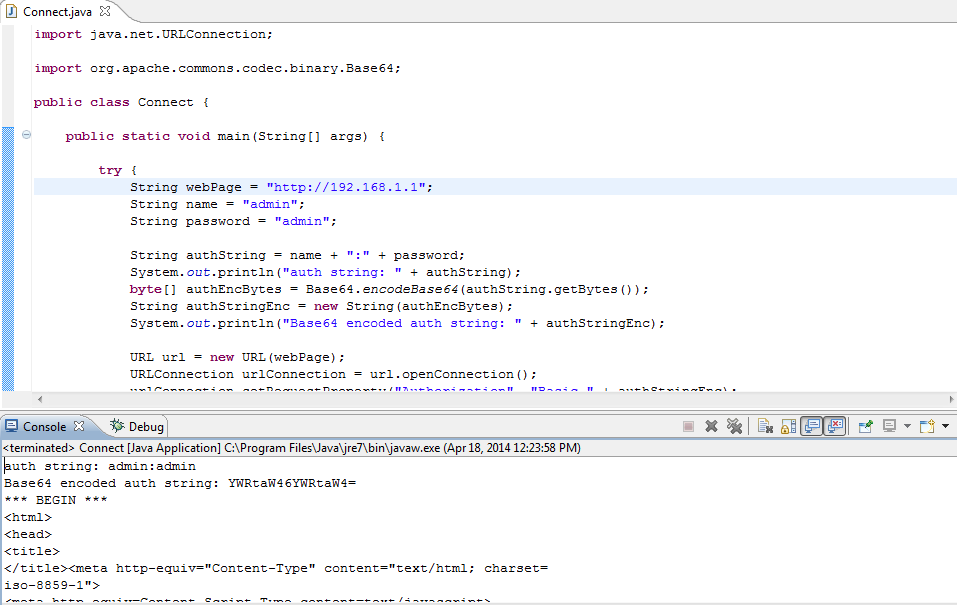
 

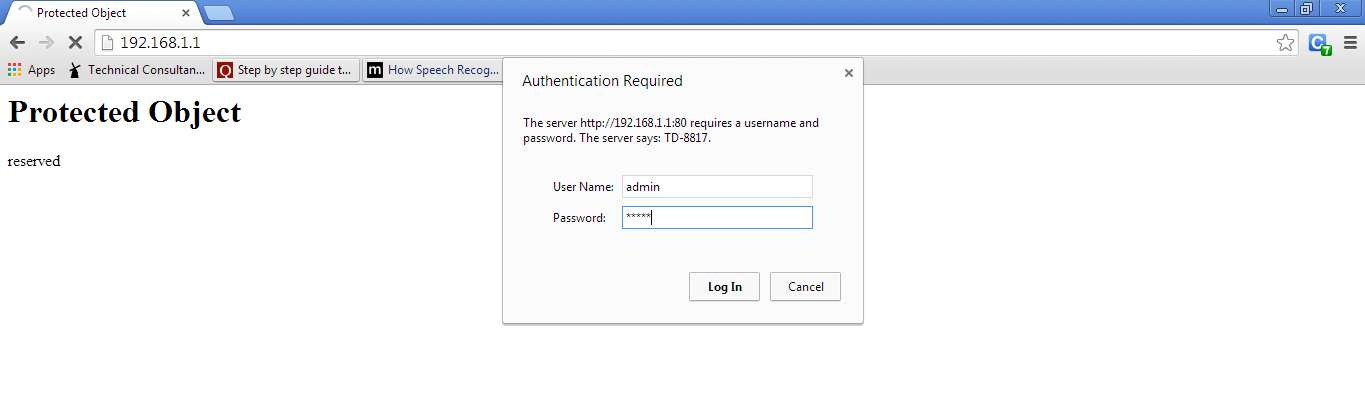
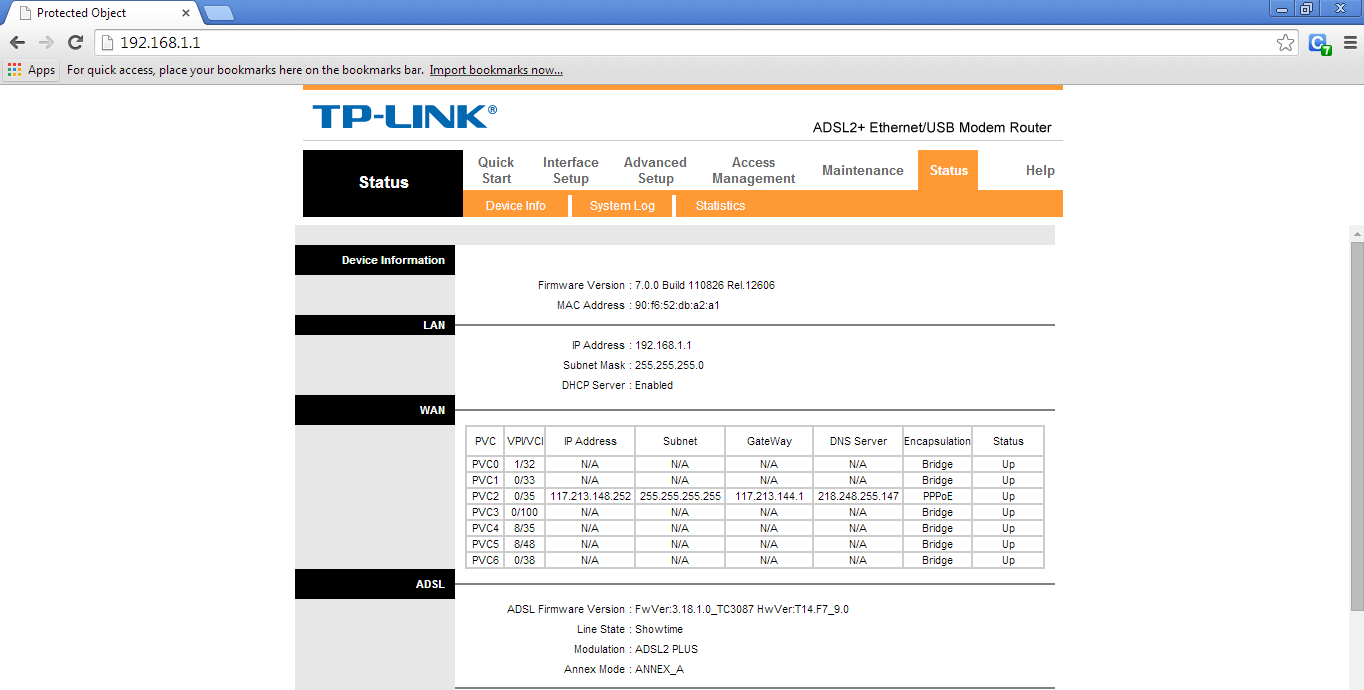
Code similar to Connect.java allows me to connect to my TP-LINK router and read the current IP address of my router. I can take this IP information and send it to a web application deployed on the web. As a result, I can then forward requests from the deployed web application through the router to my local machine. This technique requires me to forward requests to my router to port 8080 to my local machine on port 8080, as shown below.

Thursday, January 31, 2013

EventViewer - Find Application Information on Machine

It is good to know about events in the Event Viewer. Today I had learnt to know about this events and so I am writing this post.

I used to believe that only registry entries will notify the user/administrator regarding the installation and un-installation details of a software or an application being executed in the machine. But it was over-whelming moment for me when I know about this event thing.

After that moment, I digged more into that subject about Event Viewer and found an interesting about it. 

If you want to track all the details of applications installed and removed from a computer, here is the information for you ;) 

Good to know before "SOMEONE" catches you :P

In these days of malware, spyware, and compliance regulations, a lot of admins are looking to track the installation of unauthorized programs, and/or the removal of required programs from client desktops. There are actually several events you can look for in both the Application Event Log and Security Event Log that will help you do this.

In the Application log, setup packages that use the Windows Installer to install themselves will create numerous events, all with an event source of MsiInstaller.

Event ID 11707 tells you when a install completes successfully, and also the user who executed the install package.

Event Type: Information
Event Source: MsiInstaller
Event Category: None
Event ID: 11707
Date: 11/9/2006
Time: 3:21:45 PM
User: DOMAIN\USER
Computer: COMPUTERNAME
Description:
Product: Event Archiver Enterprise -- Installation operation completed successfully.

Event ID 11724 tells you when a software package is removed successfully, again logging the user behind the operation.

Event Type: Information
Event Source: MsiInstaller
Event Category: None
Event ID: 11724
Date: 11/12/2007
Time: 7:50:13 PM
User: DOMAIN\USER
Computer: COMPUTERNAME
Description:
Product: Event Archiver Enterprise -- Removal completed successfully.

You can track both of these events in our Event Analyst software by setting up appropriate filters and building a custom report.

Event ID 592
Also, if you want to correlate the name of the executable setup package that was executed to install a piece of software, turn on Process Tracking auditing on the relevant Group Policy Object for one or more computers (e.g. Domain Security Policy, Local Security Policy), and look for events with Event ID 592 in the Security log that occur around the time of the 11707 event in the Application log, e.g.

Event Type: Success Audit
Event Source: Security
Event Category: Detailed Tracking
Event ID: 592
Date: 11/9/2006
Time: 3:20:30 PM
User: DOMAIN\USER
Computer: COMPUTERNAME
Description:
A new process has been created:
New Process ID: 2816
Image File Name: \EvntArch.exe
Creator Process ID: 516
User Name: USER
Domain: DOMAIN
Logon ID: (0x0,0x3E7)

Event Analyst also has a built-in Process Usage report that is very useful for viewing all of the executable files that were loaded and unloaded on one or more systems for a given time frame. It automatically determines the executable files that are run the most frequently for any given user.

Following this I will be posting about deleting the installation details from the Event Viewer in my next post.

Saturday, October 6, 2012

Prevent Your FB Account from Public Searches

As soon as you create your facebook account,one most common and effective way to make your fb profile private is "make it not appear in public search results on facebook".

This means that, the people who are not your friends or you do not know them,will not be able to "see" your facebook profile,when they "facebook search" for user names like yours.

For example, suppose your facebook user name is "somex", and if someone searches for "somex" on facebook, then all the usernames/profiles/pages which contains the word "somex" will come as result. These all results are "public search results" means they are not secured well, and anyone can send them request after viewing them in the search result.

And if your profile is not secured well, and your privacy is basic, then your profile will also appear in those results,anyone can be able to send you "add friend" request.and if you are a "female" then,you will get about 10-20 friend requests daily,because strangers likes to become friend of a female.he he he.

So guys,if you want to make your fb profile somewhat private,then follow the simple steps given below:

Step1: login to your facebook account.

Step2: click the "" arrow located near "home" button.

Step3: a menu will appear,in that menu,click privacy settings.

Now you will be redirected to your privacy settings page.

Step4: on that page,click "how you connect" option there.

Step5: a popup will appear,containing different option settings.in that popup,make settings as given below:-

       1: who can look-up your profile by name?===========>friends.

     2: who can lookup using the email/phone address you provided? =>friends.

       3: who can send you friend request?=============>friends of friends.

       4: who can send you facebook messages?==========>friends.

As shown in image given below.


  Step6: Enjoy.

Thursday, August 16, 2012

How send message to all friends in one time on Facebook

(NOT WORKING).....

1) Click on the friends link located at the top of your profile page.

2) Hit create new list, give it a name, select all your friends in it and hit the create list button.

3) You would see the list name appearing under a Lists heading in the left margin of the face.

4) Click on inbox link located at the top margin of the profile page, select compose message and type the name of friend list in the friends box.

5) Compose your message and hit the send button

Copy all your albums and pictures to Google+

Goto www.primadesk.com


sign up for an account


Add your accounts and enjoy storing all your albums and pictures at one place.


How to view your Facebook profile history

                                                    Goto www.archivedbook.com
Click on Read your profile history now
and Goto App


How to Show Who Is Online On Facebook While You Are Offline Mode


First you have to login into Facebook, after that you can go offline chat in Facebook account.
clik on goto app


then clik on Allow

After install this application you able to show, who is online on Facebook while you are offline on Facebook account.